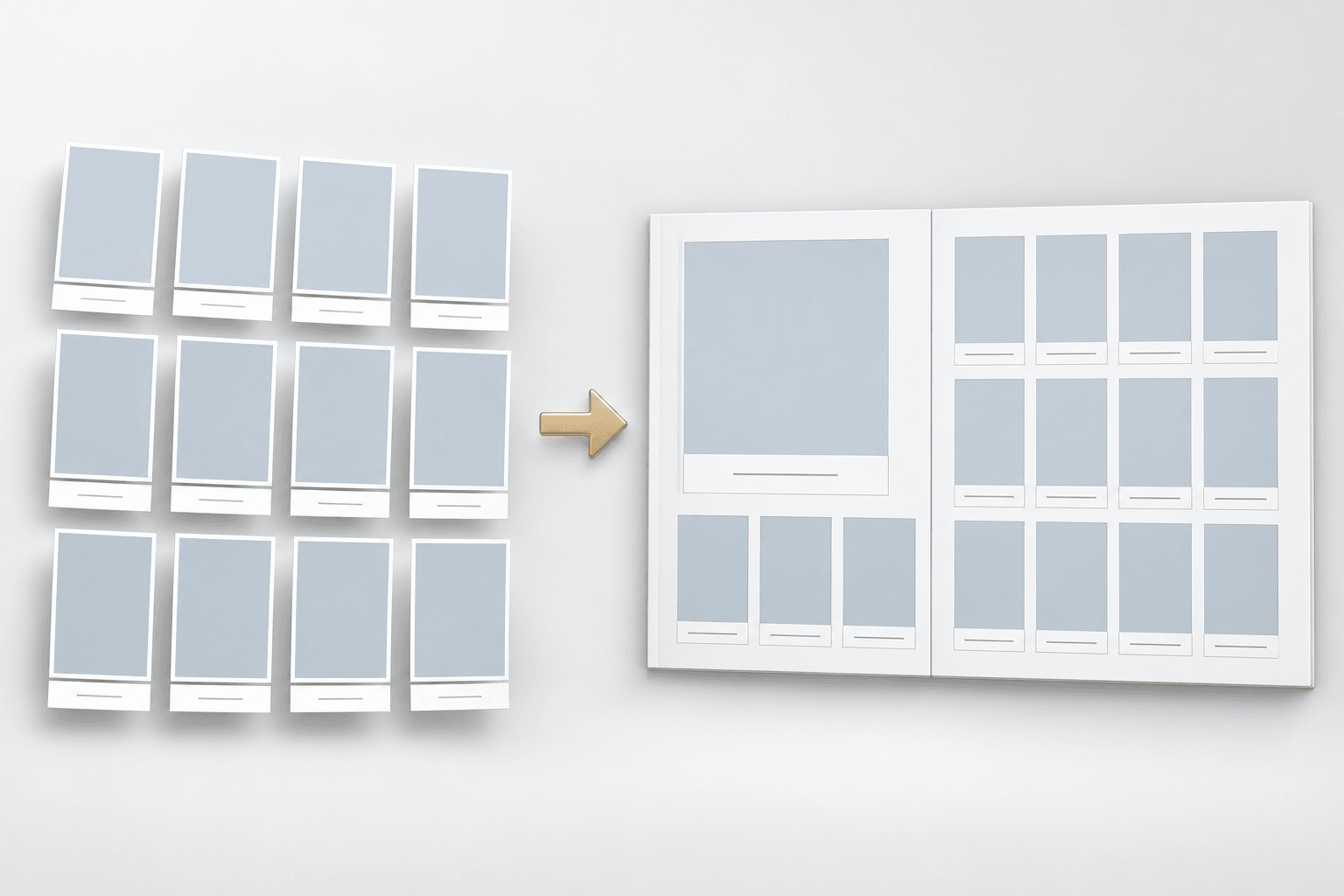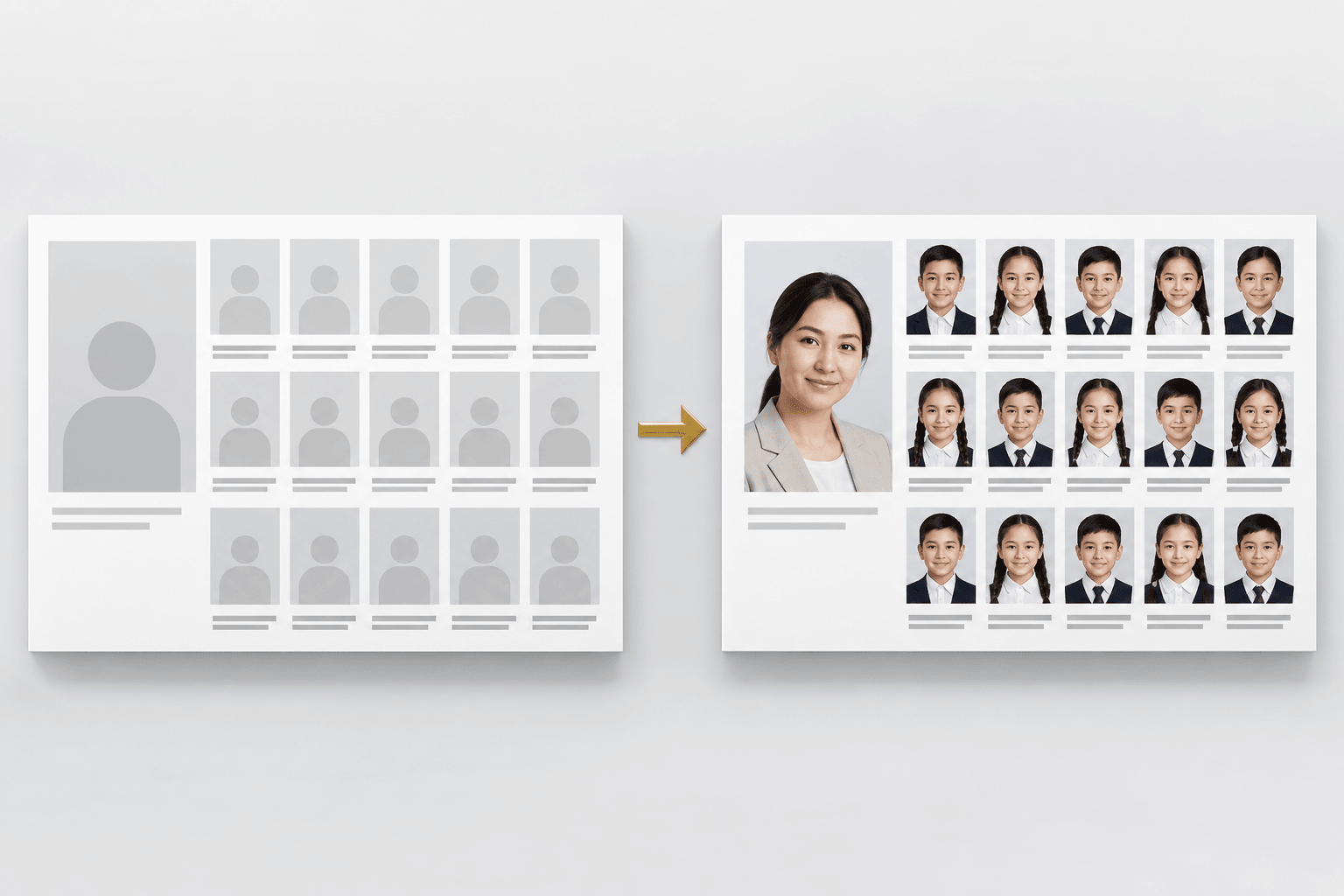
If your PSD is ready
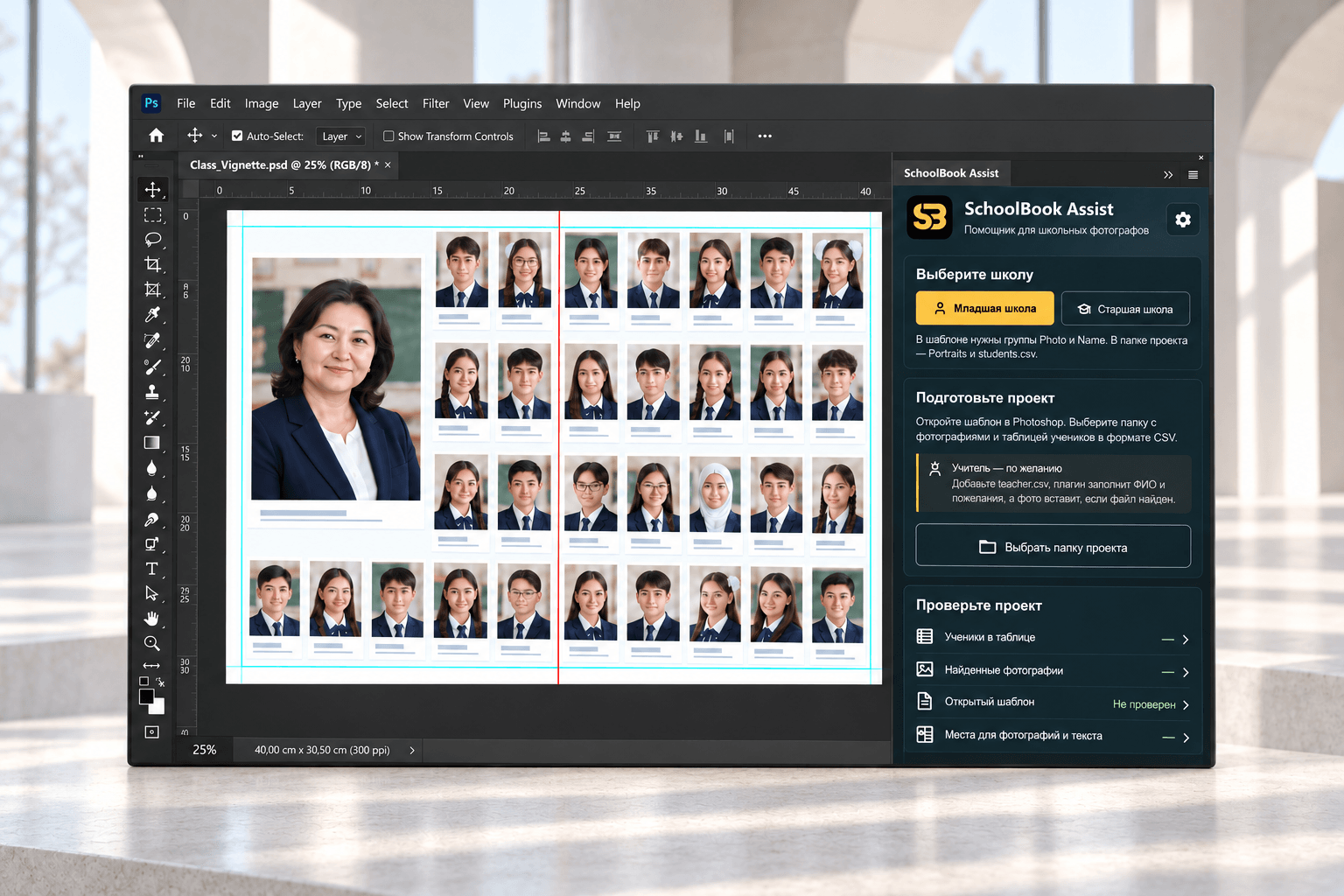
Fill an existing student layout without placing every portrait and name by hand.
- Portraits, names, and quotes from CSV
- Check one slot before the run
- Fill the full spread

Tools for Photoshop
SchoolBook brings together tools that remove repetitive work from school-album production.
Adobe Photoshop 23.3+ · Perpetual license · CCX installation
 SchoolBook LayoutBuild a spreadHelps create a clean spread grid and a fully editable PSD for each class.Open plugin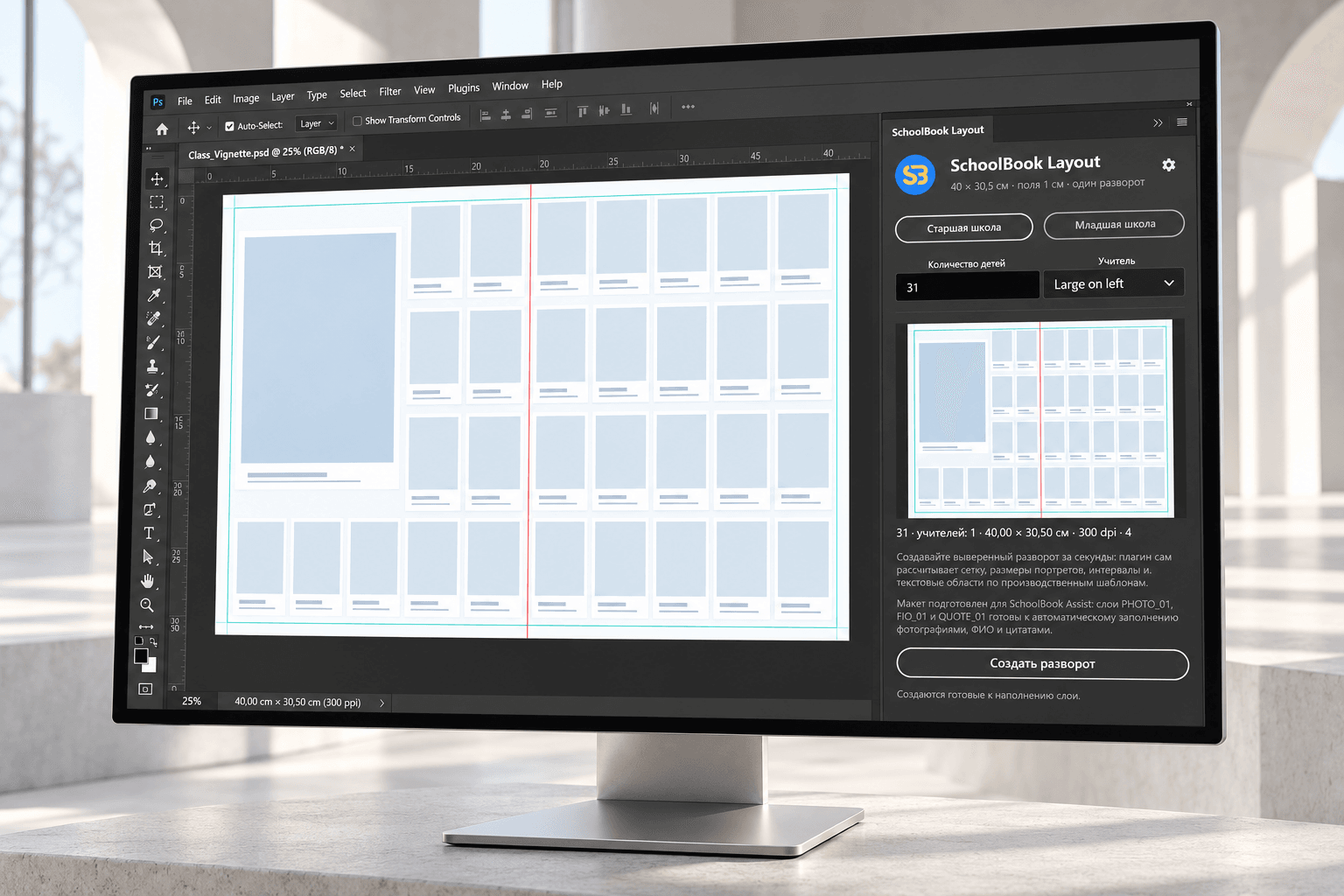
Which plugin do you need?
Fill an existing student layout without placing every portrait and name by hand.
Build a foundation for the exact number of students and keep it editable for the next step.
Need the full workflow?Build the spread in Layout first, then fill it with Assist. Your design and final check stay in your hands.
One workflow
Collect portraits and a CSV with student data.
Prepare your own PSD or build a grid in SchoolBook Layout.
Check a slot, then fill the spread in SchoolBook Assist.
Refine crops and prepare the PSD for the next stage.
Assist demo
Your workflow stays yours
Plugins use your prepared structure without replacing your design or templates.
You control cropping, composition, and the final review.
PSD files, CSV data, and portraits are processed on your computer.
Choose the plugin for the job in front of you and keep working in your familiar Adobe Photoshop workflow.
Common questions
Yes. SchoolBook Assist and SchoolBook Layout work inside Adobe Photoshop.
Yes. Assist fills a prepared PSD, while Layout helps build the foundation you can style yourself.
Fix the data in the CSV and run it again. You can check one slot before filling the full spread.
No. Plugins process PSD files, CSV data, and portraits locally on your computer.